Scoreboard for OBS, Streamlabs, Wirecast & Meld
A fully functional utility for displaying statistics in a sports stream via OBS, Streamlabs, Wirecast, Meld and other streaming software that supports text/image file sources. It will help display the statistics needed for a specific game over your video of online sports broadcasts.
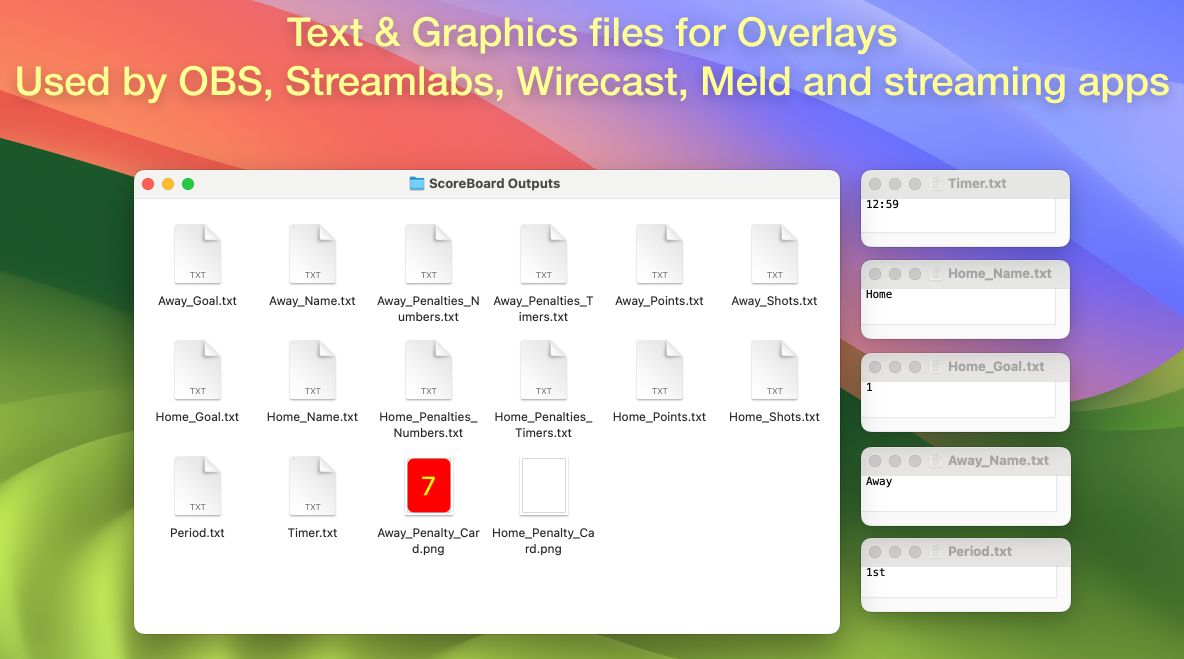
Text data is written to TXT files on your computer’s disk (by default, to the Downloads directory). Each file can be used in a streamer program (add source: text) and overlaid on any image of your scoreboard.
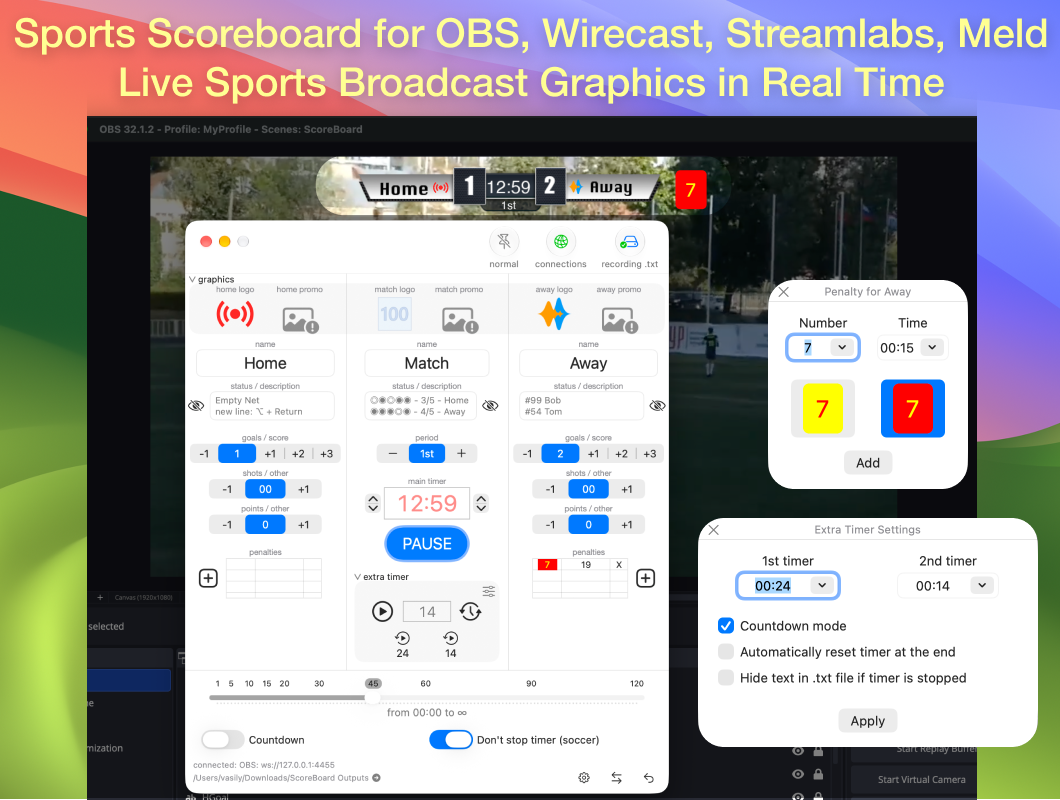
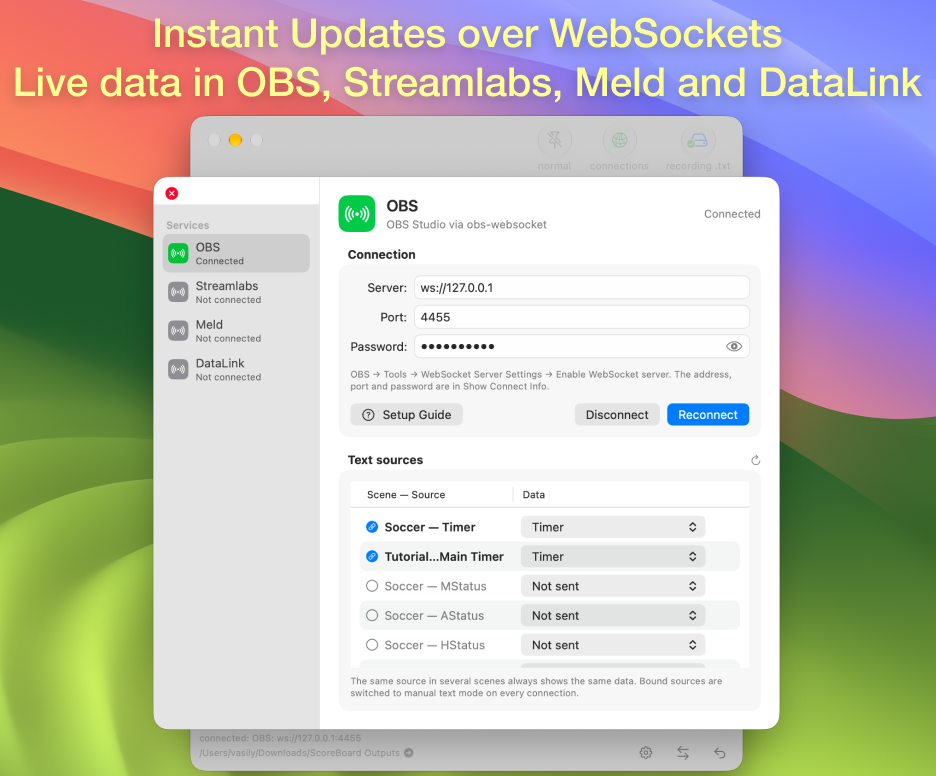
Text data can also be sent instantly over WebSocket to OBS Studio, Streamlabs, Meld and DataLink (TriCaster) — without the delay of reading files from disk.
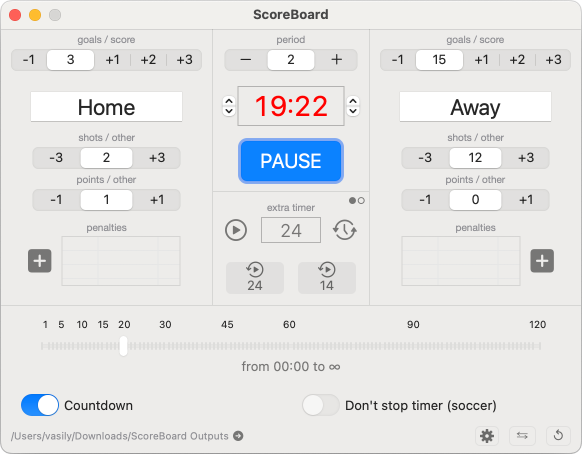
The scoreboard can display in a sports broadcast:
- Time (timer or stopwatch) with tenths
- Additional extra timer with two presets (eg basketball)
- Goals (points, strikes) for each team
- Two Extra Points/Shots for both teams
- Period (half, quarter)
- The names of the two teams and Match
- Descriptions/Statuses/Promo of two teams and Match
- Penalties with timers for hockey and similar games
- Yellow and Red cards for soccer
- Logos + Promo for two teams and Match
Additional features:
- Instant data updates over WebSocket in OBS, Streamlabs, Meld and DataLink (TriCaster)
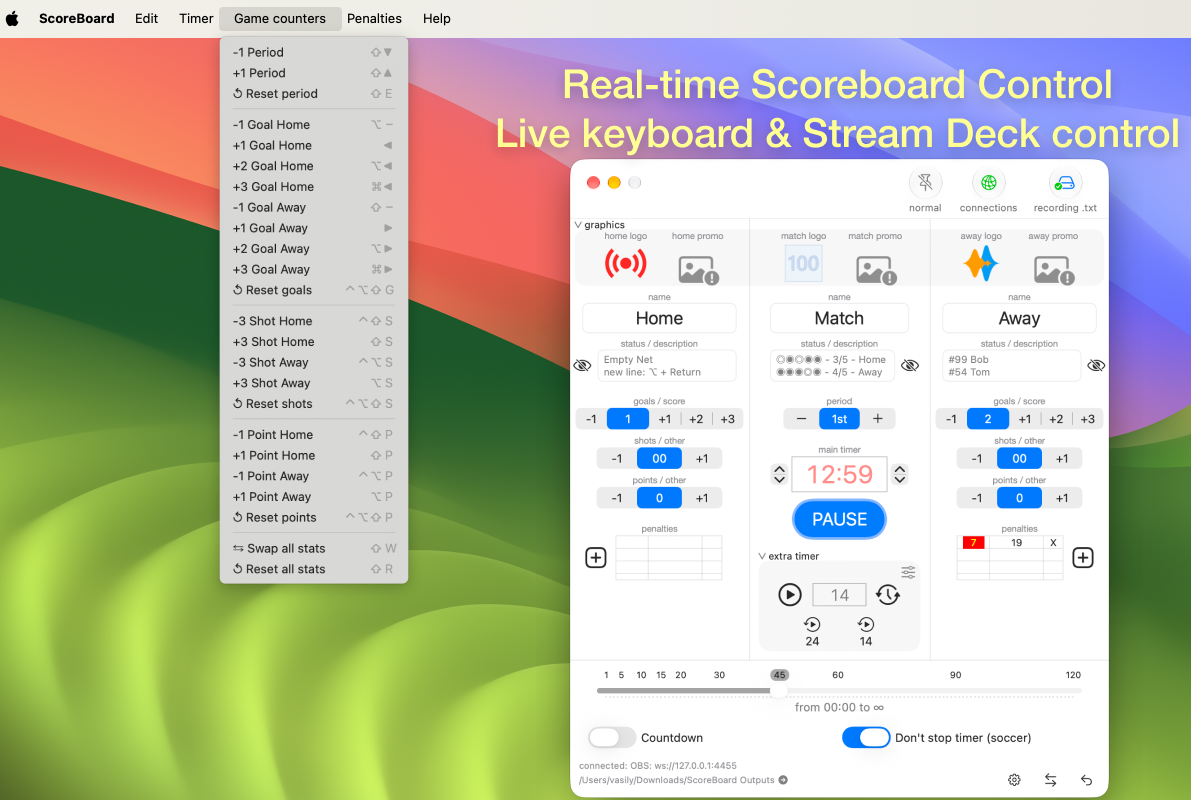
- Hotkeys for easy control
- Swapping team statistics
- Reset statistics
- Automatic saving of scoreboard settings
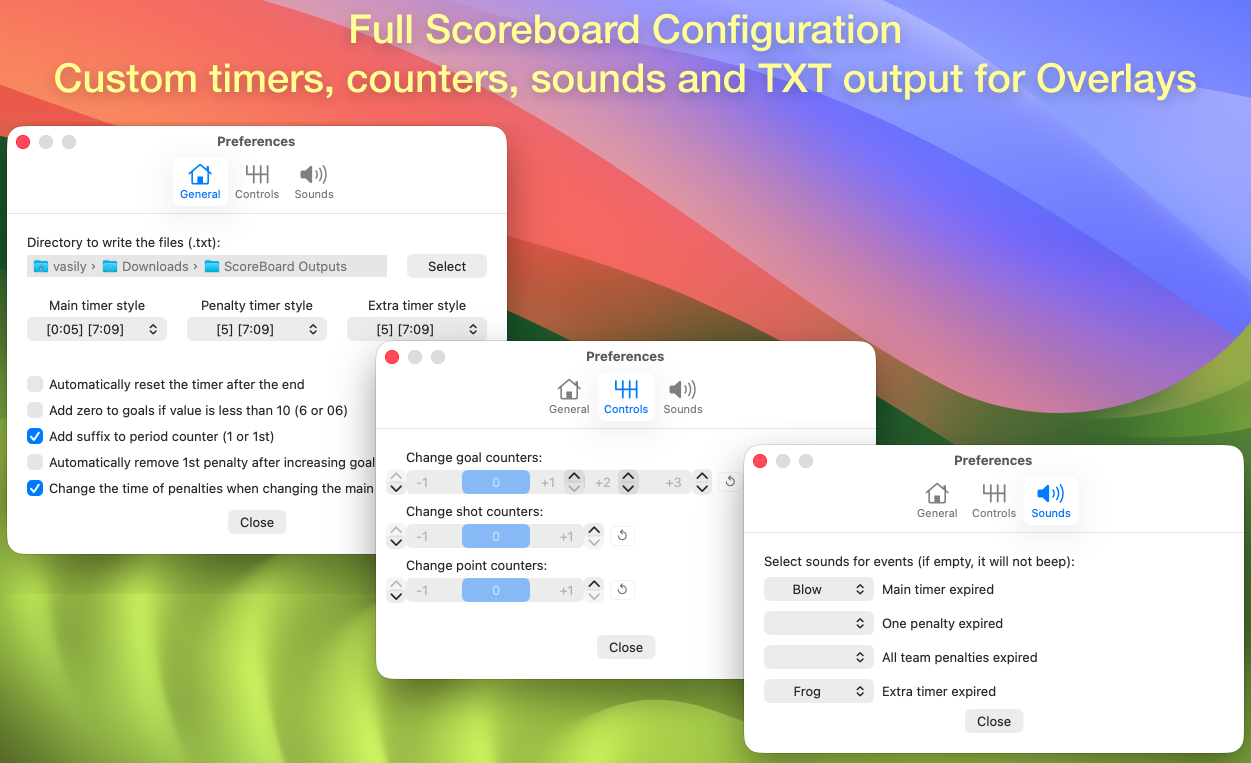
- Choice of directory for writing output TXT files
- Ability to increase the number of goals (+1, +2, +3)
- Goal counter increment setting
- Controls in the Touch Bar
- Ability to add a suffix to the period (1st, 2nd, 3rd)
- Ability to add zero to goals (01 - 05)
New to the app? Follow the step-by-step setup guides to add your first scorebug in OBS.
What our users think
| NP2003 | djithm | TofuDunk | tiivonen |
|---|---|---|---|
| I’ve been using this program since it was v1.0 on the OBS Forums - this is a fantastic program. | Excellent application that has all the tools required to use for your score bug in OBS. So much better than some of the paid subscriptions as long as you have the ability to create your own graphics for the scoreboard portion. Keep up the great work and I look forward to your updates! | This app has made it much easier for me to keep score during my board game streaming sessions. | Simple and easy to use. I use it for floorball streaming. Original M1 mbpro handles scoreboard and streaming 1080p 50p around 10% CPU usage. |

ScoreBoard free version
Free version for trial use: download, unzip it, and move the app to your Applications folder.
The free version is fully functional, but text output is limited in some fields.
Notarized and verified by Apple, safe to download and use on your Mac.

Screenshots of ScoreBoard and OBS
Video instructions for use
The OBS and ScoreBoard have already been updated several times, but the settings in the video are similar.
An example of a finished scorebug after setting it up in OBS

FAQ
Does ScoreBoard work with Streamlabs, Wirecast and Meld?
Yes. ScoreBoard writes live score, timer and stats data to TXT files (and promo/logo images) on disk, which any streaming software that supports text-file or image-file sources — including OBS, Streamlabs, Wirecast and Meld — can read and display as an overlay. OBS, Streamlabs and Meld can also receive text data instantly over WebSocket.
Can ScoreBoard send data to OBS instantly, without reading text files?
Yes. ScoreBoard connects over WebSocket to OBS Studio, Streamlabs, Meld and DataLink (TriCaster) and sends every change of the score, timer and other text data straight to the chosen text sources — with no delay for reading files from disk. See the WebSocket setup guide.
Is there a free version?
Yes, a free trial version is available for download, notarized and verified by Apple. It’s fully functional, with output limited in some fields. The full version is available on the Mac App Store.
What format does ScoreBoard output data in?
Plain TXT files for text values (score, timer, team names, etc.) and image files for team/match logos and promo graphics, updated automatically as you control the game from the app. Text values can also be sent instantly over WebSocket to OBS, Streamlabs, Meld and DataLink (TriCaster).
Does ScoreBoard require an internet connection or account?
No. ScoreBoard runs entirely locally on your Mac and does not collect any data — see the Privacy Policy.
Other
Contact for support
Errors, requests and questions are accepted.